
Drag. Circuit.
Power. Measured.
One app for drag racing, lap timing, engine power & torque and an AI corner coach. Use your phone's GPS for free with Phone Mode, or connect RaceBuddy ONE, Dragy, RaceBox, RaceBox.cc and RaceHF.
Your phone, or every
supported device.
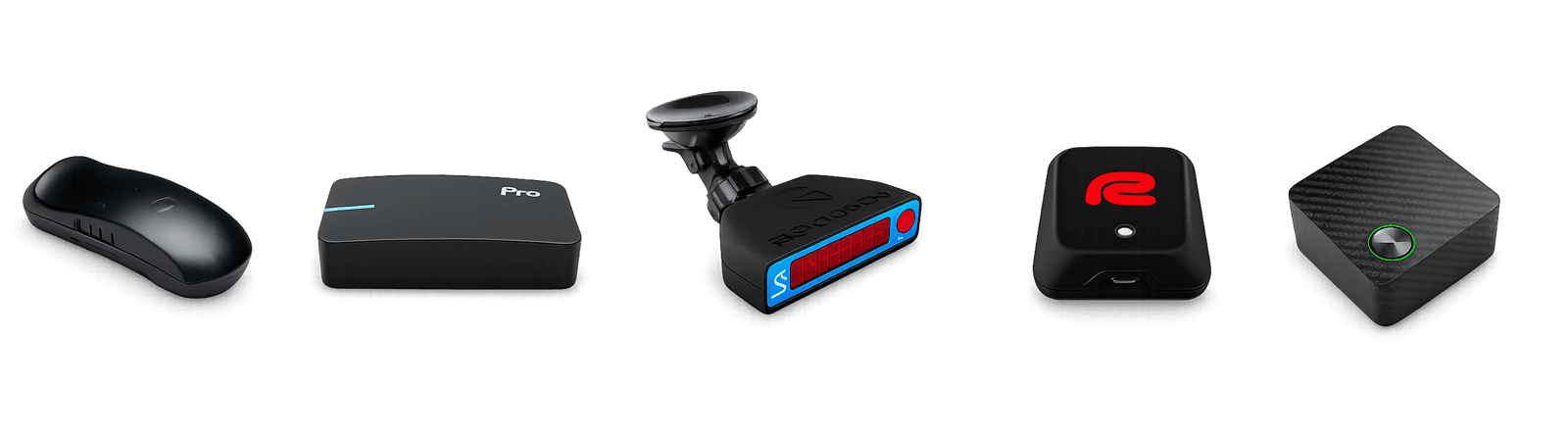
- iPhone GPS
- Android GPS
- RaceBuddy ONE
- Dragy
- Dragy 69
- Dragy 70
- Dragy Pro
- Dragy Lite
- RaceBox.cc
- RaceBox Mini
- RaceBox Mini S
- RaceBox Micro
- RaceHF
Phone Mode uses your phone's GPS and motion sensors — free, no hardware. RaceBuddy ONE owners connect for free too. RaceBuddy Pro is required to connect third-party devices. External receivers remain the most accurate option.
Records, track days and fresh runs from the RaceBuddy community
Never break out
of your class.
DIFF time and a Predicted 1/4 mile run live, while you're still accelerating. Braking tests, video with live overlays and a run history that goes back years — built for bracket racers and class drivers who need to hit the number, not just chase a PR.
DIFF time + Predicted 1/4 milePro
Live diff against a reference run and a continuously-updated predicted ET, so you don't break out of your bracket / class.
Standard tests
0–60, 0–100, 60–100, custom speed pairs, 60 ft, 1/8 mile and 1/4 mile with 1-foot rollout option — every 0-start pair also in a no-rollout variant.
Braking tests
100–0 km/h, 60–0 mph or any deceleration pair you define. Braking distance and time, detected with the same precision as the launches.
Phone Mode — no device required
Your phone's GPS fused with its motion sensors, calibrated in a minute. Free on iPhone and Android. Phone runs are clearly marked as such.
Record on camera with live overlays
Film the pull in-app: speed pairs pop up live while you record, and the export burns the telemetry overlay into the clip. Landscape or portrait.
Slope-corrected accuracy
Removes the gravity component along the run so up- and down-slope passes are comparable. Try the slope calculator →
Density altitude with WeatherKit
Real-time air density context next to every run, not a static lookup.
Compare RunsPro
Side-by-side comparison against your own runs or any run by ID — pick a baseline and read the differences row by row.
Real-world hp & torque,
from a single GPS run.
Type your car. We fill the rest — drivetrain, weight, gearing, frontal area — with an AI-assisted profile. Then RaceBuddy converts your GPS pass into hp and torque you can compare, share as a card, or revisit on rbuddy.io.
Type your car
Year, make, model, trim. The Smart Garage fills drivetrain, kerb weight, gearing and frontal area for you.
One run, full curvePro
A single clean acceleration run produces a power and torque estimate corrected for slope, density altitude and rolling resistance.
Multi-vehicle garage
Track every car you drive and tag mods so each result stays attached to the build it was made on.
Share the curve
Export the result as a social card with the real power and torque graph, peak figures and your car photo — post or story, one tap.
Smart Garage and AI vehicle profiles are free for everyone. Power & Torque measurement is included with RaceBuddy Pro and works with any GPS source, including Phone Mode. The calculator cross-checks the accelerometer against GPS and tells you if the mount was tilted. Best treated as a comparable measurement, not a dyno replacement.
Compare every lap.
Find the time.
Telemetry comparison sector by sector — against your own best, or against public laps from the global leaderboard. Then let the AI Coach tell you, corner by corner, where the time is.
Auto circuit detection
Drive on, start the session — RaceBuddy recognises the track from a global database and snaps to its sector layout automatically.
Sector splits & ideal lap
Live delta and theoretical-best lap from your best sectors, with full session history.
AI CoachPro
Corner-by-corner analysis of your session: entry, apex and exit speeds against your best segments, braking points, time lost per corner and a written debrief with the one thing to work on next.
Compare LapsPro
Full telemetry comparison against your own laps and against laps from the global leaderboard. See exactly where you're losing time.
Custom track creationPro
Define your own start/finish and sector lines anywhere — sprints, hill climbs, autocross or any unlisted circuit. Stand at the line and the driving direction is learned automatically on your first pass. Every circuit has a details page with satellite map, lines, leaderboard and your own times.
Motorcycles & lean angle
Add your bike to the garage, get a lean-angle graph under every lap and a Classic Bike video layout. Recorded lean from RaceBox, or derived from GPS on any device.
Configurable lap graphs
Pick which graphs you see under a lap — speed, lean, G-force, altitude, time delta — set their heights and choose dot, car or auto map markers.
VBO & CSV import and export
Import VBO logs and RaceBox CSV sessions straight into your lap history — laps, sectors and leaderboard eligibility included. Export to VBOX Tools, MoTeC or your own pipeline.
Drag & Lap, on video.
In your colours.
HD recording with synchronized telemetry overlays. Landscape and portrait, fully custom layouts, your branding burned in — or shipped as green-screen for post production. Drag and lap, on iPhone and Android.
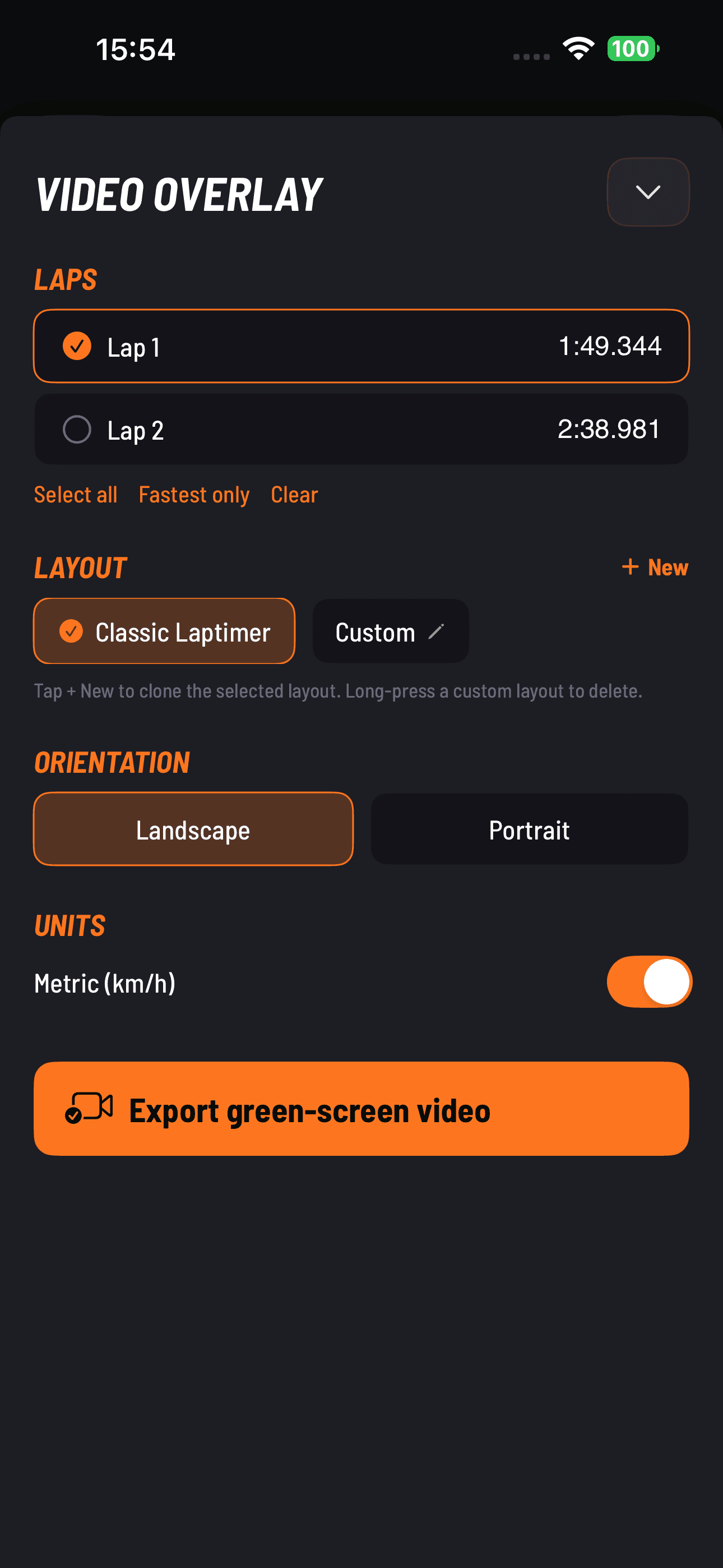
Landscape & portrait
HD rear-camera recording with the default telemetry overlay — speed, G-force, altitude, time. Drag runs show speed pairs live while you film. Mount however you ride.
Picture-in-picturePro
Front and rear camera together in the same export — driver reaction next to the road. Front-camera recording is included with Pro. iPhone only for now.
Custom layouts + brandingPro
Pick what to show, drop in intro / outro graphics, and burn your team or channel logo into every export.
Green-screen exportPro
Transparent / keyable background so editors can drop the overlay onto any footage in Premiere, Final Cut, DaVinci or CapCut.
Classic Bike layout
A dedicated overlay for motorcycles with the lean-angle dial next to speed and G — on video and green-screen exports.
One tap from a run
to Instagram or TikTok.
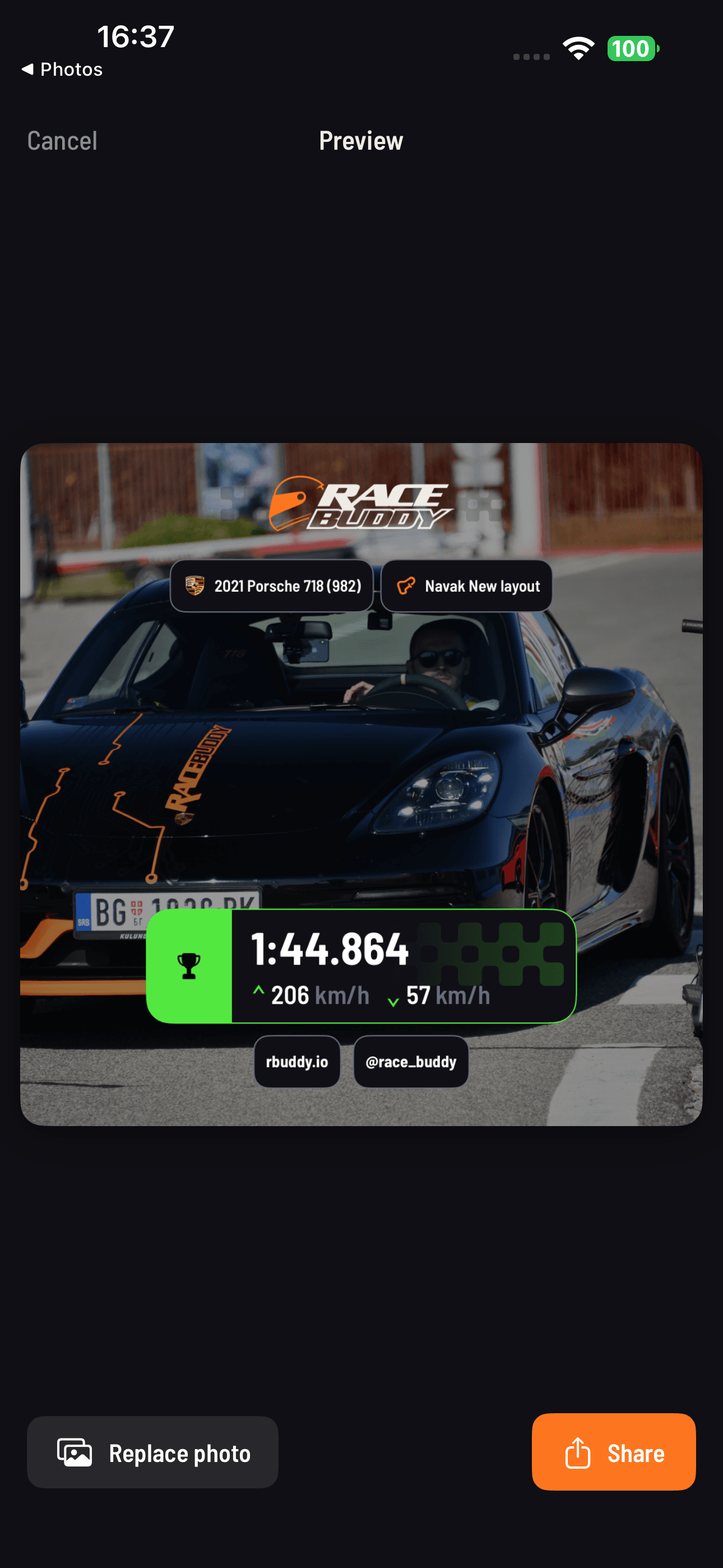
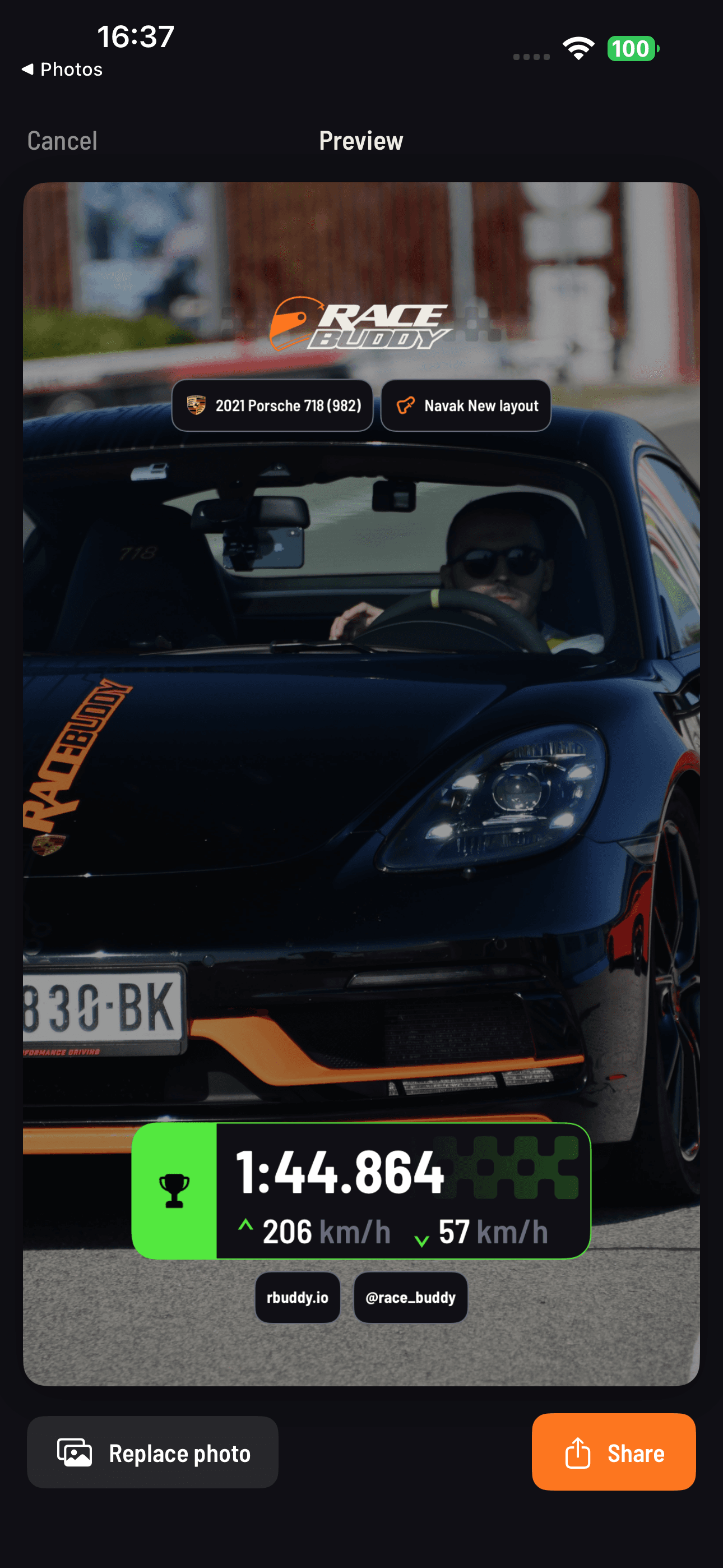
Every drag run, every lap and every Power & Torque result can be exported as a clean image card — square (1:1) for the feed or vertical (9:16) for stories. Your numbers, your colours, one tap.
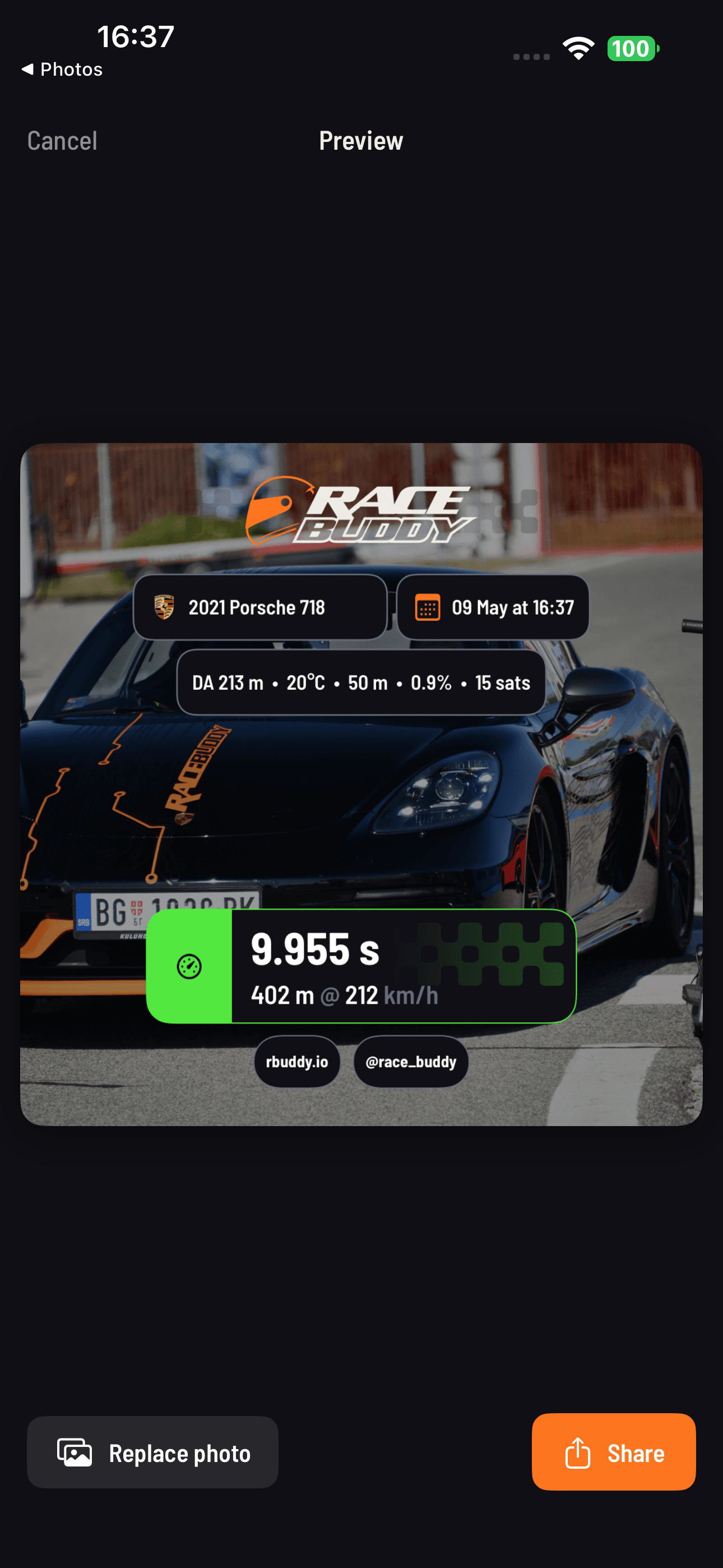
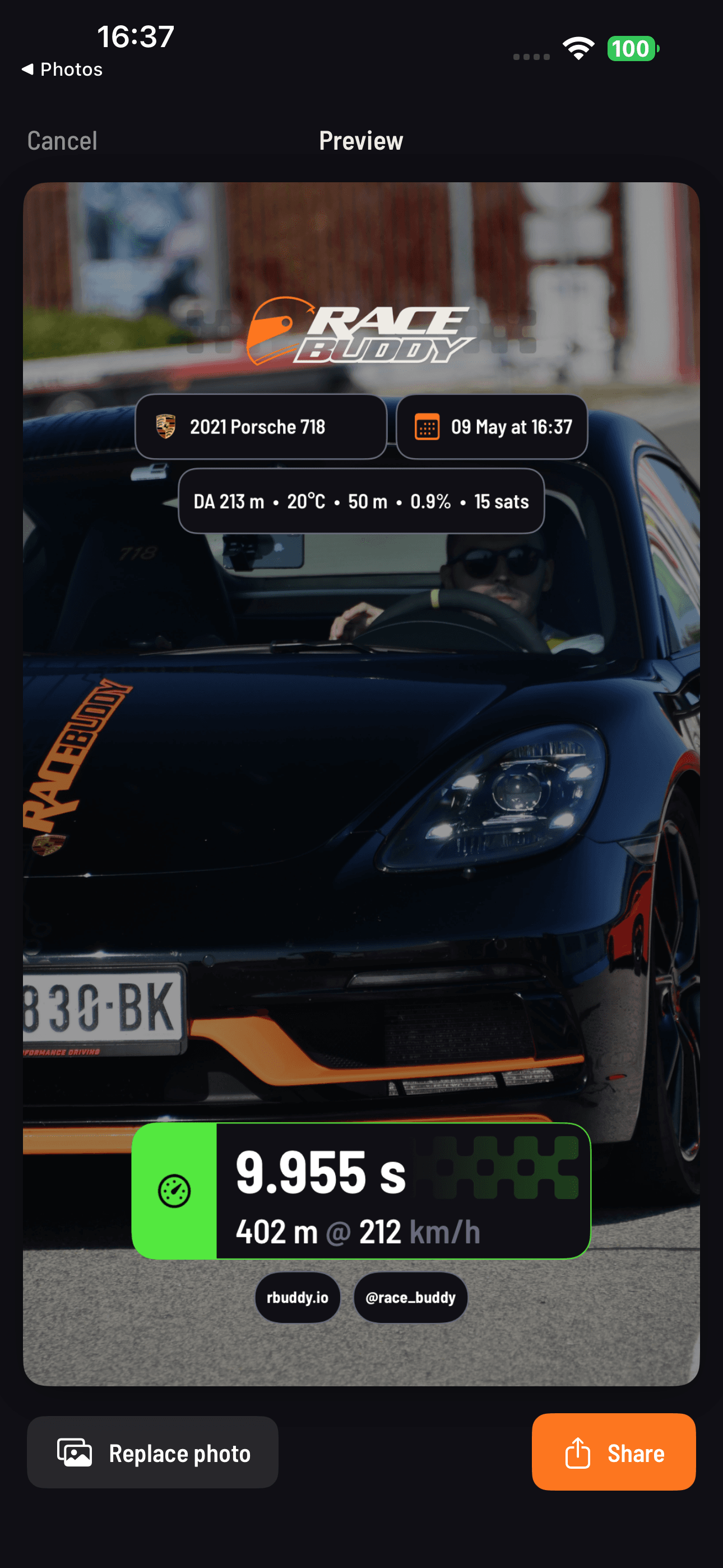
RaceBuddy imports VBO, RaceBox CSV and race simulator sessions directly, and rbuddy.io also takes RaceChrono, RaceNavigator, MoTeC and other CSV logs. For MoTeC, EMU, RCZ and RNZ overlays on video, use RB Overlay — our companion app.
Free is genuinely useful.
Pro when you need more.
Free with Phone Mode or RaceBuddy ONE. Pro to connect Dragy, RaceBox, RaceBox.cc, RaceBox Mini / Mini S / Micro, or RaceHF — and for the coach, comparisons and pro video.
Drag racing
- 0–60, 0–100, 60–100 acceleration
- 1/4 mile, 1/8 mile, 60 ft, with 1-foot rollout option (and no-rollout variants)
- Braking tests — 100–0 km/h, 60–0 mph or any deceleration pair
- Custom speed pairs (any from-speed to any to-speed)
- Phone Mode — measure with your phone's GPS, no device required
- Record runs on camera with live speed pairs and overlay export
- Slope-corrected accuracy (automatic)
- Density altitude with WeatherKit integration
- Run history and archive, Measurements tab per test
Lap timing
- Auto circuit detection from global track database
- Sector / split times
- Live delta and ideal lap
- Session history with track and vehicle filters
- Import VBO and RaceBox CSV sessions
- VBO / CSV export
- Configurable lap graphs and map markers
- Motorcycle lean angle graph
- Track details page — satellite map, lines, leaderboard, your times
AI Smart Garage
- Type a car or bike name, AI fills variant + engine + drivetrain + tire + aero specs
- Unlimited vehicles, custom names, metric or imperial specs
- Mods tracking
Video
- HD rear-camera recording with default telemetry overlay
- Laptimer overlay export: Green Screen and Your Video modes at 1080p landscape with default built-in layout
Leaderboards
- Global leaderboards (drag + lap)
- Filter by car, country, region
Other
- Free with Phone Mode or the RaceBuddy ONE device (no Pro required)
- Earn Free Pro — invite friends, redeem points for 1 to 12 months of Pro
- Your data on the web — leaderboards, run and lap analysis, imports at rbuddy.io
- Bug reports and feature requests inside the app, with ticket status
- 8 languages: English, German, Spanish, French, Croatian, Russian, Ukrainian, Simplified Chinese
- Demo mode (full app to try without any device)
Connectivity
- Connect external GPS devices — Dragy (incl. 69, 70, Pro, Lite), RaceBox / Mini / Mini S / Micro, RaceBox.cc, RaceHF
- Dragy Pro / Lite onboard recordings — browse and import as runs and laps
- Auto-connect to previously-paired external devices
- Phone Mode and RaceBuddy ONE remain free — Pro is only required for the third-party devices above
Drag racing
- DIFF time — live comparison vs your chosen reference 1/4 mile run, with landscape focus mode
- Predicted 1/4 mile (live, while accelerating)
- Compare Runs — side-by-side comparison vs My Runs or by run ID
- Power & Torque — measure engine power and torque from a single GPS run, share it as a card
Lap timing
- AI Coach — corner-by-corner analysis with braking points, time lost per corner and a written debrief
- Compare Laps — your telemetry vs your other laps or public leaderboard laps
- Create & publish custom tracks — design new circuits and share them publicly
Video
- Green Screen overlay export (drag camera)
- Custom branding — your logo on video overlays
- Front camera — record both cameras simultaneously (iPhone)
- Picture-in-Picture video overlay during recording (iPhone)
- Laptimer overlay export — 2K and 4K resolution
- Laptimer overlay export — Portrait orientation
- Laptimer overlay export — Custom layout (design, select or edit your own)
Across the app
- Premium customer support and the ability to submit feature requests
- Pro follows your RaceBuddy account — reinstall or switch phones and it is still there
Common questions.
Which GPS devices does RaceBuddy support?
Is RaceBuddy free?
Does RaceBuddy work with the phone's built-in GPS?
What is the AI Coach?
Does RaceBuddy support motorcycles?
Is there an Android version?
Can I import telemetry files?
How accurate are the Power & Torque numbers?
How does Earn Free Pro work?
Does my Pro subscription follow my account?
What does slope correction do?
How do I get help?
Free download.
Your phone is enough to start.
Start free with Phone Mode or pair a supported GPS device, then hit the strip or the circuit and run the numbers.